Configuration
This guide assumes you have already performed the quick Install on Docker. You can (re-)configure most components by executing:
make gen-secrets
Note that this script overwrites (previously generated) secrets, use with caution.
Identity Service
Add the admin password to the .env file:
echo "IDENTITY_SERVICE_ADMIN_PASSWORD=$(openssl rand -hex 16) >> .env"
Auth Service
We need to configure three components:
- Environment
- Client
dbrepo-client - User federation
Identity Service
First, add the admin password to the .env file:
echo "AUTH_SERVICE_ADMIN_PASSWORD=$(openssl rand -hex 16) >> .env"
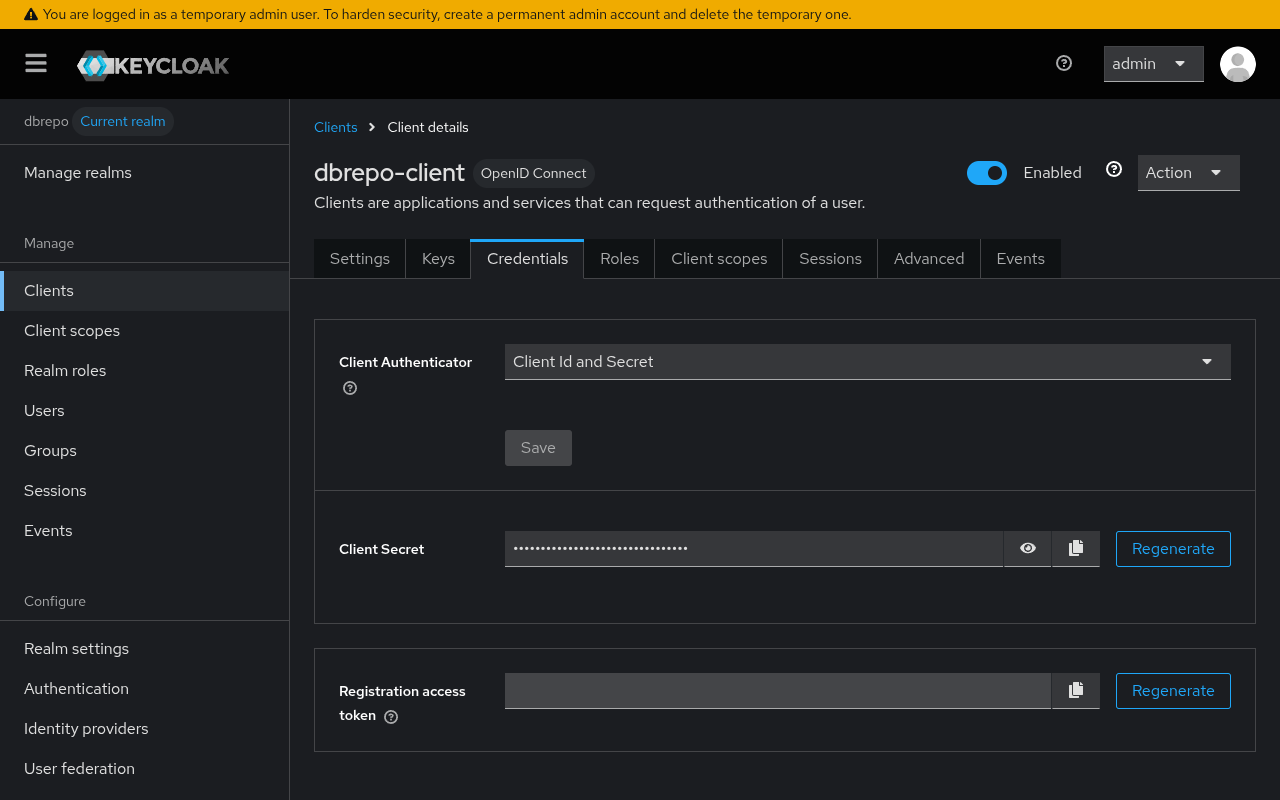
First, access the Admin UI at http://localhost:8080 and change the client secret of the
default dbrepo-client client:
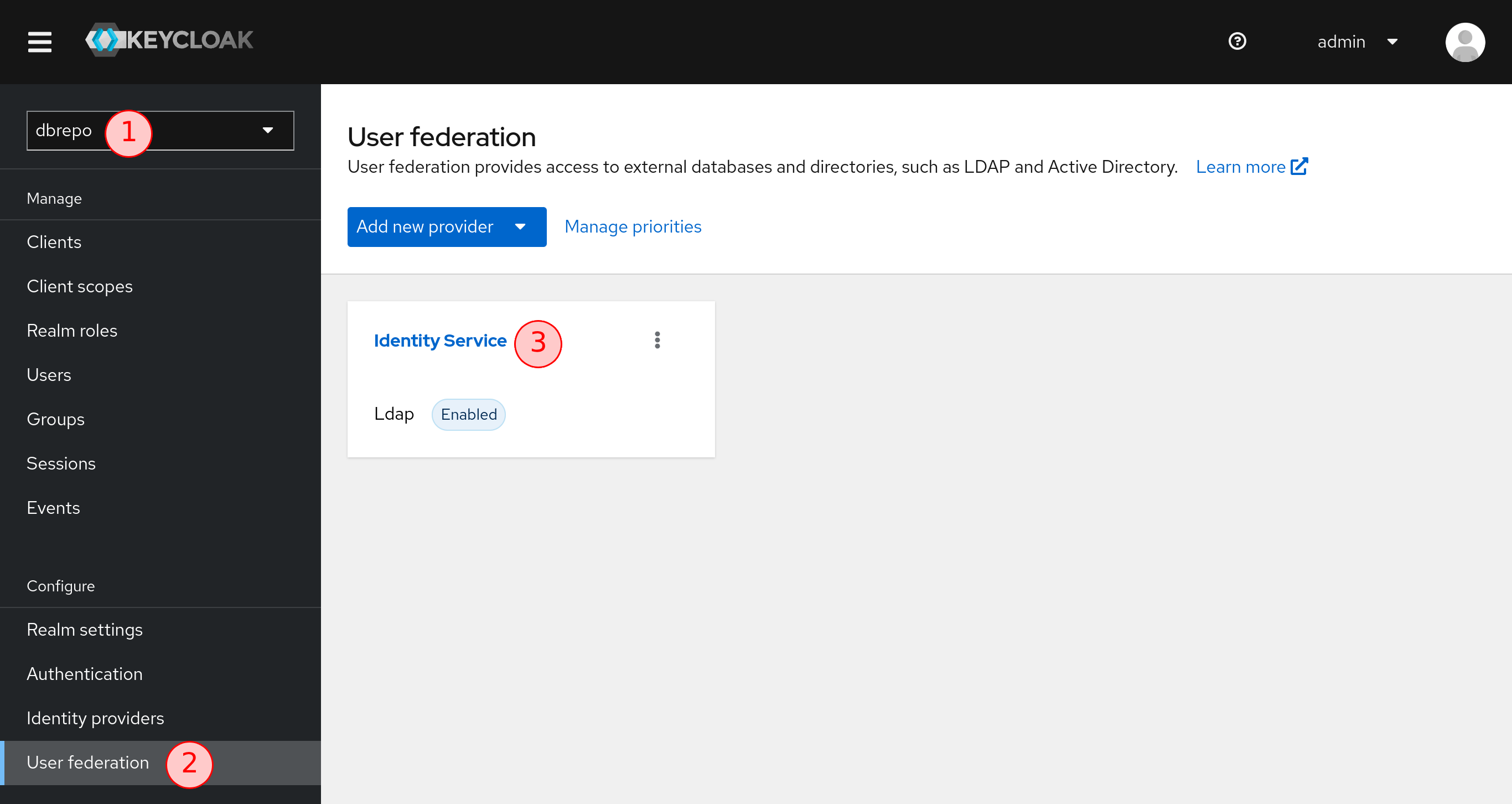
Next, log into the Auth Service with the default credentials admin and the value of AUTH_SERVICE_ADMIN_PASSWORD
and select the "dbrepo" realm . In the sidebar, select the
"User federation" and from the provider list, select the "Identity Service" provider
.
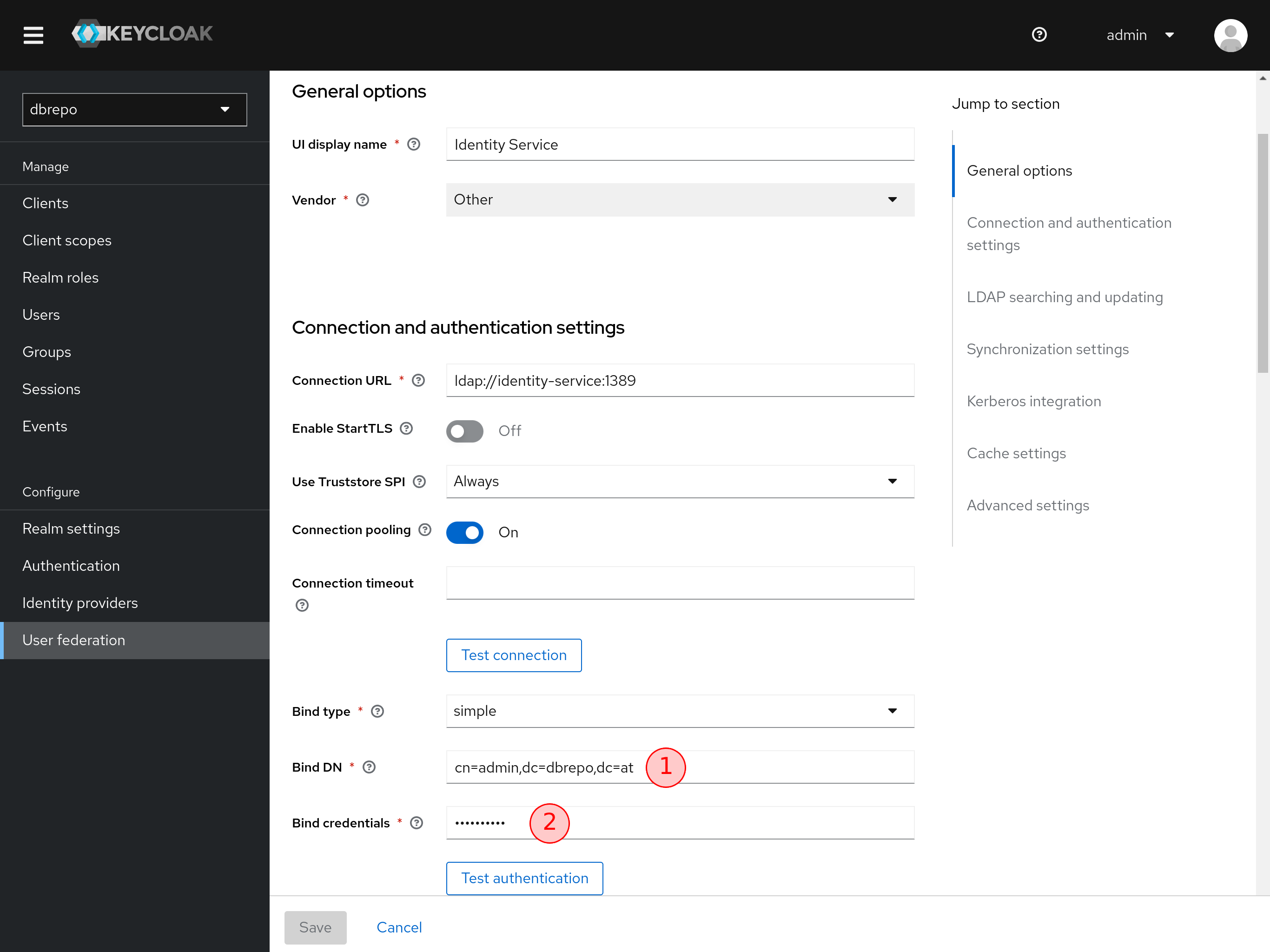
Second, modify the Bind DN . Change the Bind credentials to the desired
password from the variable IDENTITY_SERVICE_ADMIN_PASSWORD in .env.
Apply
You need to remove all containers and volumes to apply the changes and then restart:
docker container stop $(docker container ls -aq -f "name=dbrepo-*")
docker container rm $(docker container ls -aq -f "name=dbrepo-*")
docker volume rm $(docker volume ls -q -f "name=dbrepo_*")
docker compose up -d
Next Steps
You should now be able to view the front end at https://localhost.
Please be warned that the default configuration is not intended for public deployments. It is only intended to have a
running system within minutes to play around within the system and explore features. It is strongly advised to change
the default .env environment variables.
Next, create a user account and then create a database to import a dataset.